
Frequently Asked Questions About Claiming "Pre-Built" Nterprisers Profiles
Nterprisers uniquely "pre-builds" profiles for all manufacturers in a market. It's our way of making sure every local maker has a presence at the "tradeshow that never sleeps." Below, find answers to common questions about claiming and verifying these robust listings.
How do I claim a company profile?
Claiming your company profile on Nterprisers is quick and free.
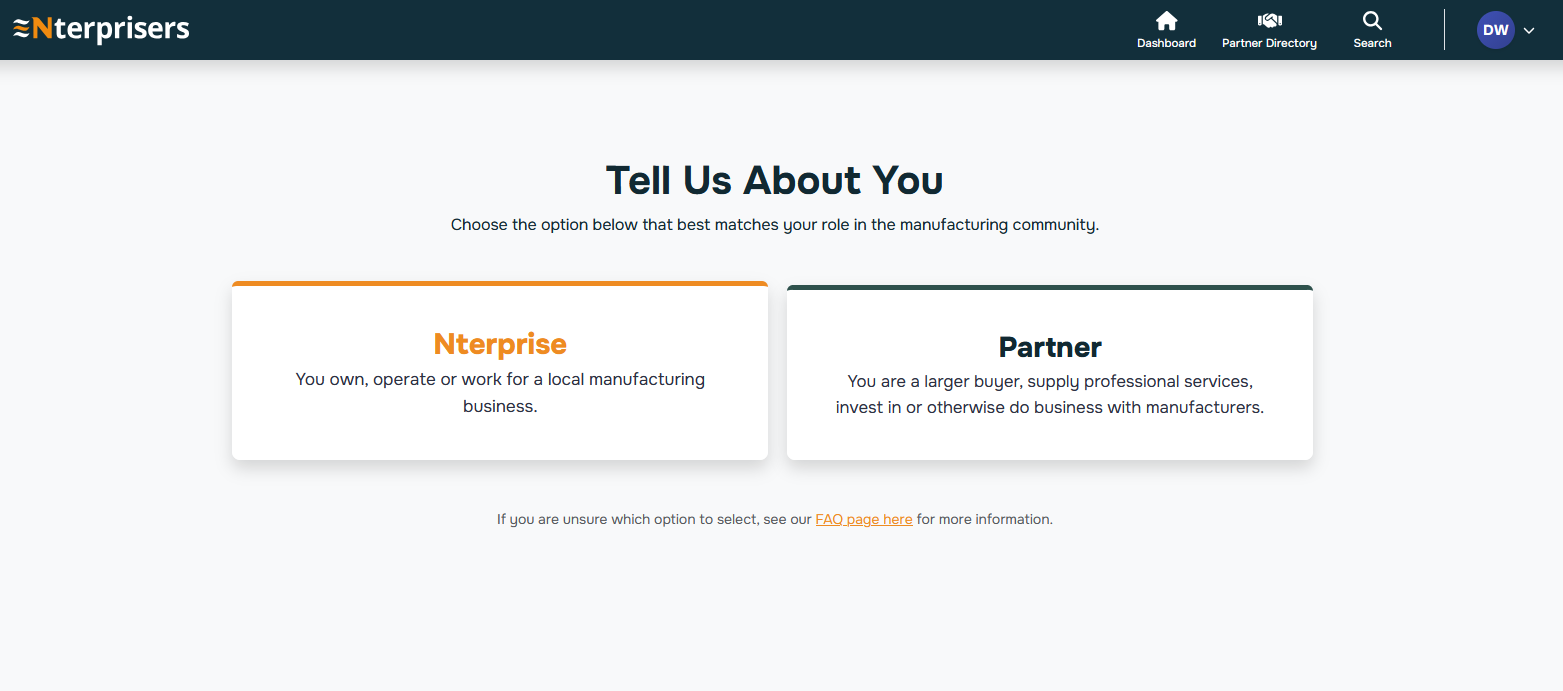
-
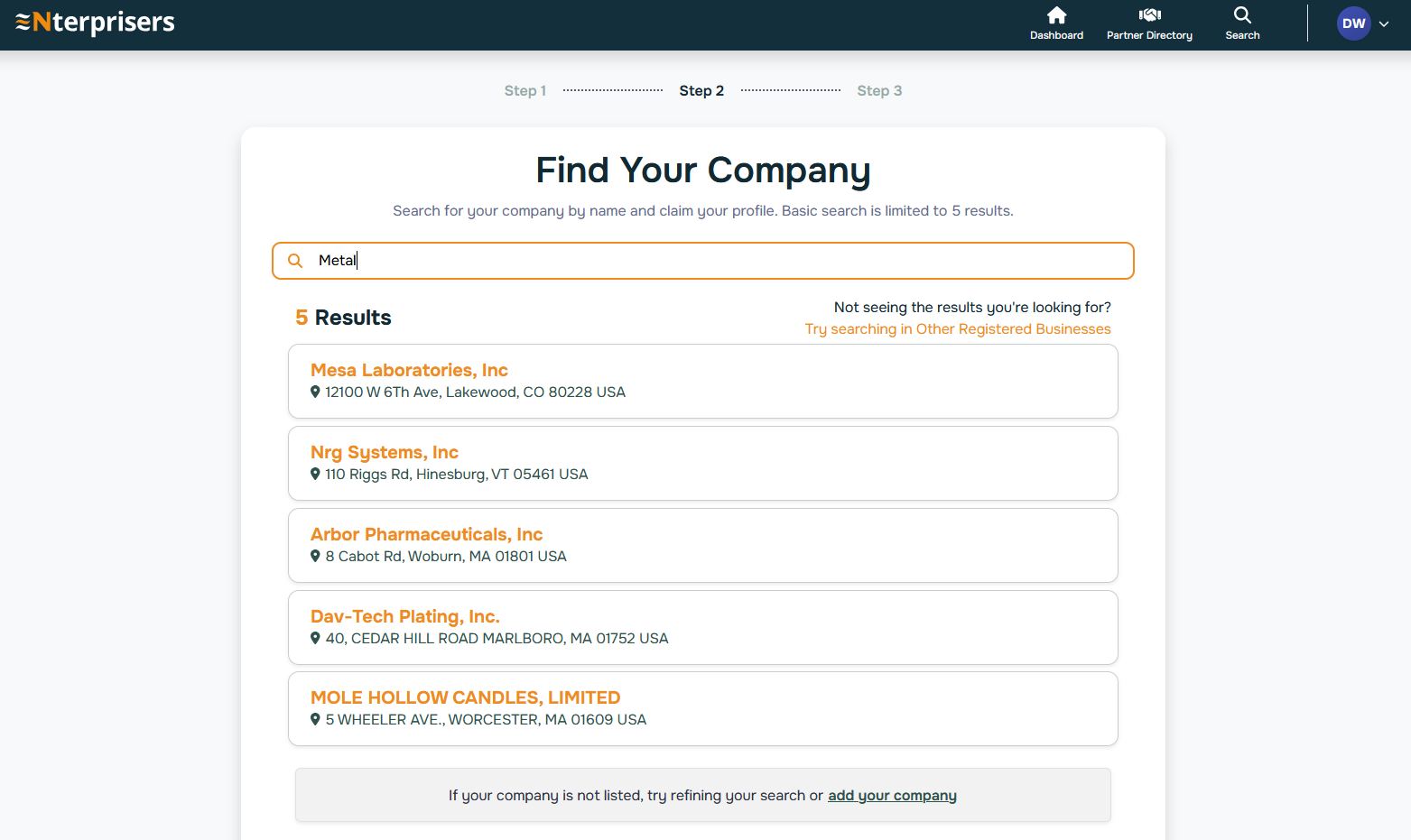
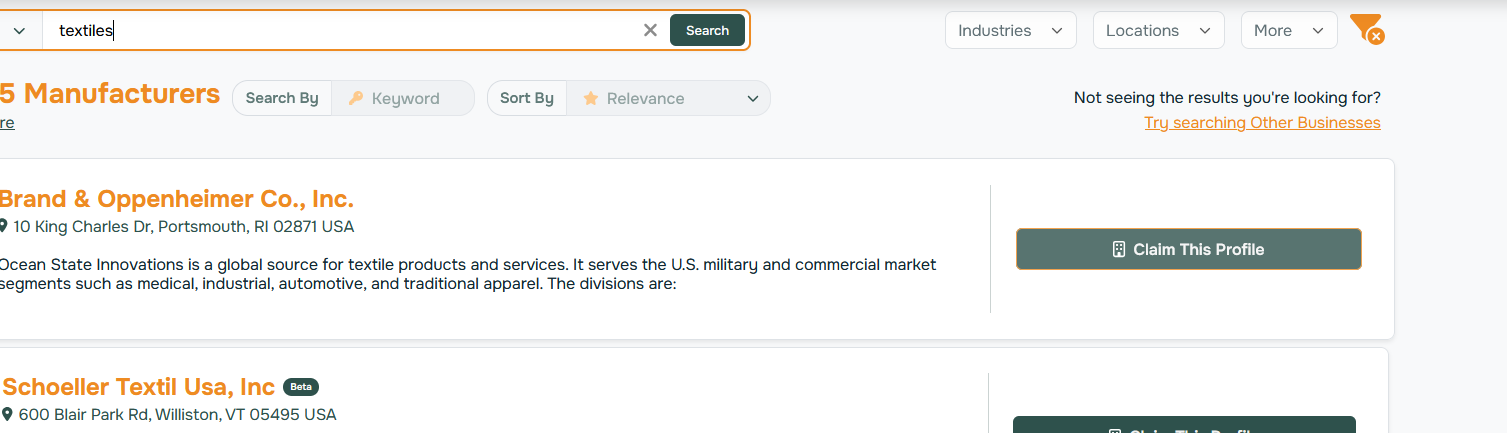
Search for your company on Nterprisers using your business name.
-
Select your company profile from the search results.
-
Click “Claim Profile.”
-
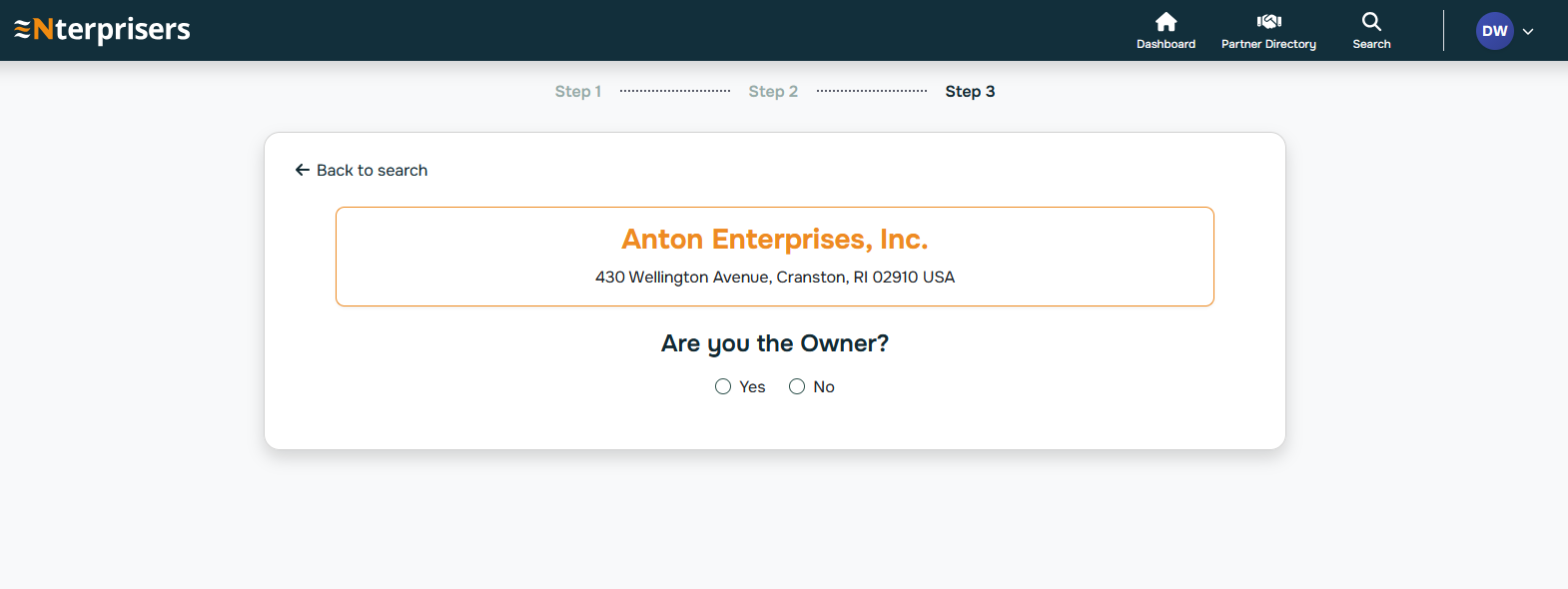
Verify ownership using a business email address (or follow the alternate verification steps if needed).
-
Complete and update your profile. Confirm or add capabilities, certifications, locations, and contact info to improve visibility.
Once claimed, you can manage inquiries, respond to messages, and make sure buyers see accurate, up-to-date information about what you do best.
If you don’t see your company listed, contact our team to help get you started (support@Nterprisers.com).
I’m not the owner, can I still claim our company Profile?
Yes. You don’t need to be the company owner to claim a Profile on Nterprisers.
During the claim process, we will ask you to supply an owner or executive email one time. This is used only to:
- Confirm the Profile is being claimed by someone inside the company
- Prevent unauthorized or fraudulent claims
What if I can't find my own company (or a local manufacturer I know)?
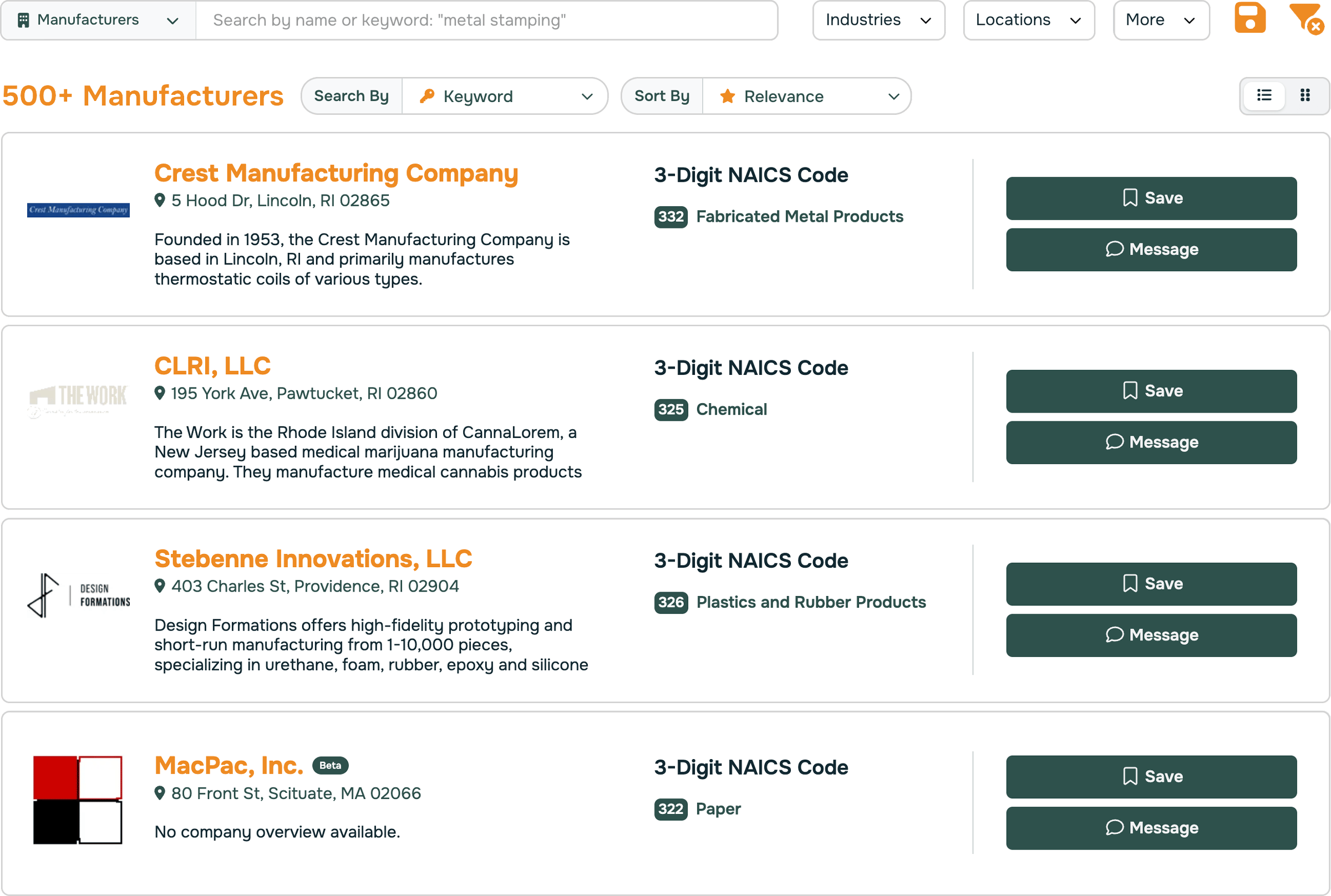
Nterprisers does its best to identify all private businesses in a state. (As of October 2025, this includes Rhode Island and Massachusetts.)
If you cannot find a company that you know is private and manufacturing locally, try toggling the search field between "Manufacturers" and "Other Businesses."
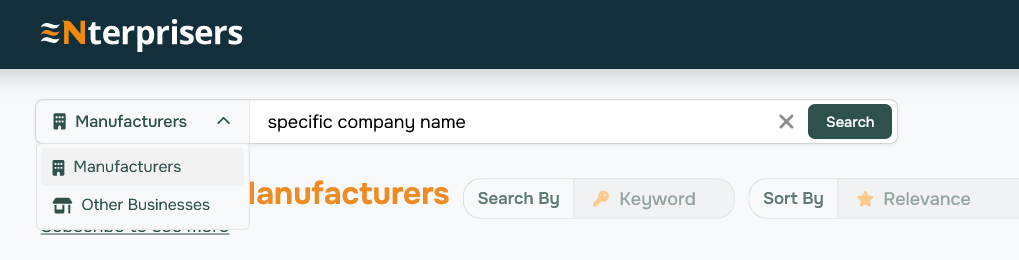
If that company appears in Other Businesses, you can Flag as a Manufacturer and we will quickly review.
If you still cannot find the company, help us correct the omission! Email support@Nterprisers.com.
What if company ownership is changing?
That’s common in manufacturing.
If your company is being acquired or ownership is transitioning:
- Claim the Profile referencing current company leadership
- Add a short note in the Profile overview explaining the ownership relationship
- Once the acquisition is finalized, the new parent company can claim or update their own Profile as well
Where does the data come from?
Nterprisers collects public data from at least three sources for each pre-built Company Profile.
These public sources may include:
These public sources may include:
- Government records, such as State business registrations filings
- Manufacturers' websites, e-catalogs, social media profiles
- News coverage, online and offline sources
The data is Quality Checked by our research team. We update records with new waves of data collection periodically.
When Companies claim their profiles and verify their listings, they further enhance the data.
Most importantly, Nterprisers is a system of record, so once you claim your profile, you're ensuring buyers see your current capabilities, locations, certifications, and contact details straight from you.
Who sees what on my profile?
Your Nterprisers Profile is designed to give you control over visibility, so you can be found when you want to be, and stay private where it matters.
What’s visible by default (public):
Some high-level information is visible to Platform visitors and all registered users to help manufacturers find and connect with you:
- Company name
- Location(s)
- General manufacturing category or capabilities with NAICS code
- Public website link (if available)
This is similar to what already exists in public business records, now organized in one place dedicated to local manufacturers.
What only logged-in users can see:
Once someone is logged into Nterprisers (manufacturers, buyers, or vetted partners), they may see:
- Expanded capability details
- Certifications you choose to share
- Equipment or process highlights
- A way to message you directly through the platform
Your contact details are not visible, not scraped or sold; connections happen within the Nterprisers platform.
What's never visible:
- Private notes or internal data
- Financials
- Customer lists
- Anything you don’t explicitly choose to share
- Communications
How do I edit my company's profile?
Once you claim your company profile, you are in control of how your business appears.
You can edit:
- Company name, description, and logo
- Locations and service areas
- Manufacturing processes, capabilities, and materials
- Certifications, industries served, and equipment highlights
- Contact information and preferred inquiry methods
Keeping this information current helps buyers quickly understand whether you’re a good fit.
What can I show, and what can I hide?
Nterprisers is designed to balance visibility with discretion. Each manufacturer can decide what’s public-facing, while still making it easy for the right partners to find and contact them.
You can hide:
-
Personal contact details you don’t want publicly visible
-
Sensitive operational notes
-
Any fields that aren’t relevant to how you want to position your business
Why are some things blurred?
Blurring is intentional, and it’s there to protect manufacturers.
On Nterprisers, certain details may appear blurred until a Profile is claimed or a user is logged in. This helps balance visibility with privacy.
Blurring helps:
On Nterprisers, certain details may appear blurred until a Profile is claimed or a user is logged in. This helps balance visibility with privacy.
Blurring helps:
- Prevent scraping and misuse of manufacturer data
- Protect sensitive operational details
- Encourage accurate, up-to-date information directly from the manufacturer
- Ensure real people—not bots—are behind connections
- Contact details
- Detailed capabilities or equipment lists
- Certifications or specialty processes
- Messaging or connection features
What is the difference between Private Owned vs Publicly Owned?
Private company information is available on the standard free account.
Public company information is only visible with the highest levels of Nterprisers access.